Lesson 1: Course Introduction

Welcome to the Cooperating Technical Partners (CTP) 101 Beginner Course. This course will introduce you to broad concepts and help you gain a better understanding of the CTP Program. What you get out of this course depends on your current role.

Course Objectives

When you have completed this course, you should be able to:

  • Identify key elements of the CTP Program
  • Identify key elements of the funding process from appropriation of program funds to closeout
  • Match Flood Risk Project Production and Mapping Activities to their definitions
  • Identify tools and resources available to help a CTP succeed as part of the program
  • Describe the CTP Program’s strategic evolution
Transcript
Lesson List: Introduction, CTP Program Overview, The Funding Process: Pre-Award Budget Planning, Eligible Activities, The Funding Process: Awards, Tools and Resources, The Funding Process: Monitoring and Post Award, Program Evolution (Introduction Lesson is selected)
Clock icon
This course should take approximately 120 minutes to complete.
Print
Screen Features
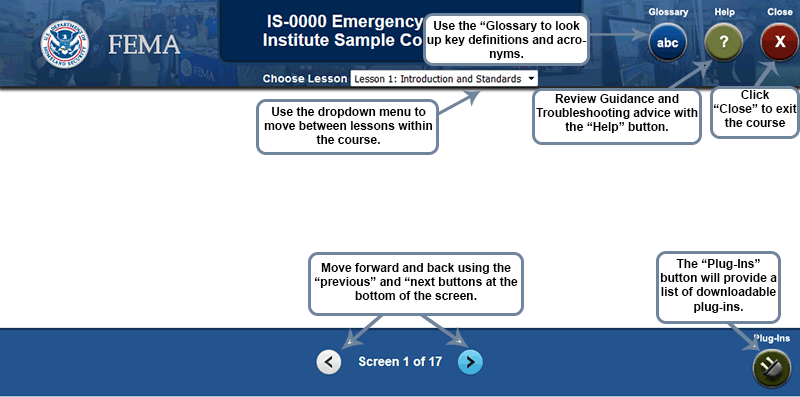
Screen shot of course template with DHS Seal, FEMA logo, IS-0000 Emergency Management Institute Sample Course Template. Click close to exit the course; review guidance and troubleshooting advice with the help button; use the glossary to look up key definitions and acronyms; use the dropdown menu to move between lessons within the course; move forward and back using the previous and next buttons at the bottom of the screen; the plug-ins button will provide a list of downloadable plug-ins.
Click this link to access a narrative summary of the screen features.
Navigating Using Your Keyboard

Below are instructions for navigating through the course using your keyboard.

  • Use the "Tab" key to move forward through each screen's navigation buttons and hyperlinks, or "Shift" + "Tab" to move backwards. A box surrounds the button that is currently selected.
  • Press "Enter" to select a navigation button or hyperlink.
  • Use the arrow keys to select answers for multiple-choice review questions or self-assessment checklists. Then tab to the Submit button and press Enter to complete a Knowledge Review or Self-Assessment.
  • Warning: Repeatedly pressing Tab beyond the number of selections on the screen may cause the keyboard to lock up. Use Ctrl + Tab to deselect an element or reset to the beginning of a screen’s navigation links (most often needed for screens with animations or media).
  • JAWS assistive technology users can press the Ctrl key to quiet the screen reader while the course audio plays.


Prevoius and Next Buttons - 2 of 47


Knowledge Review item showing the current tab location or focus
About this Course
CTPs have varying experience levels with the program. Identify your experience level below to see how this course will benefit you. Click the number of years that match to your CTP experience level to learn more.

Click each link to determine your experience level and what this course offers.

Transcript

Where Do You Fit?

Experience Levels: New, potential or non-CTPs; Current CTPs, Experienced CTPs
Lessons Overview

This course contains eight lessons. Click each lesson below to learn more.

Lesson 1 Introduction

Lesson 2 Lesson Overview

Lesson 3 Funding: Pre-Award

Lesson 4 Eligible Activities

Lesson 5 Funding: Award and Monitoring

Lesson 6 Tools and Resources

Lesson 7 Funding: Post-Award

Lesson 8 Program Evolution


Transcript

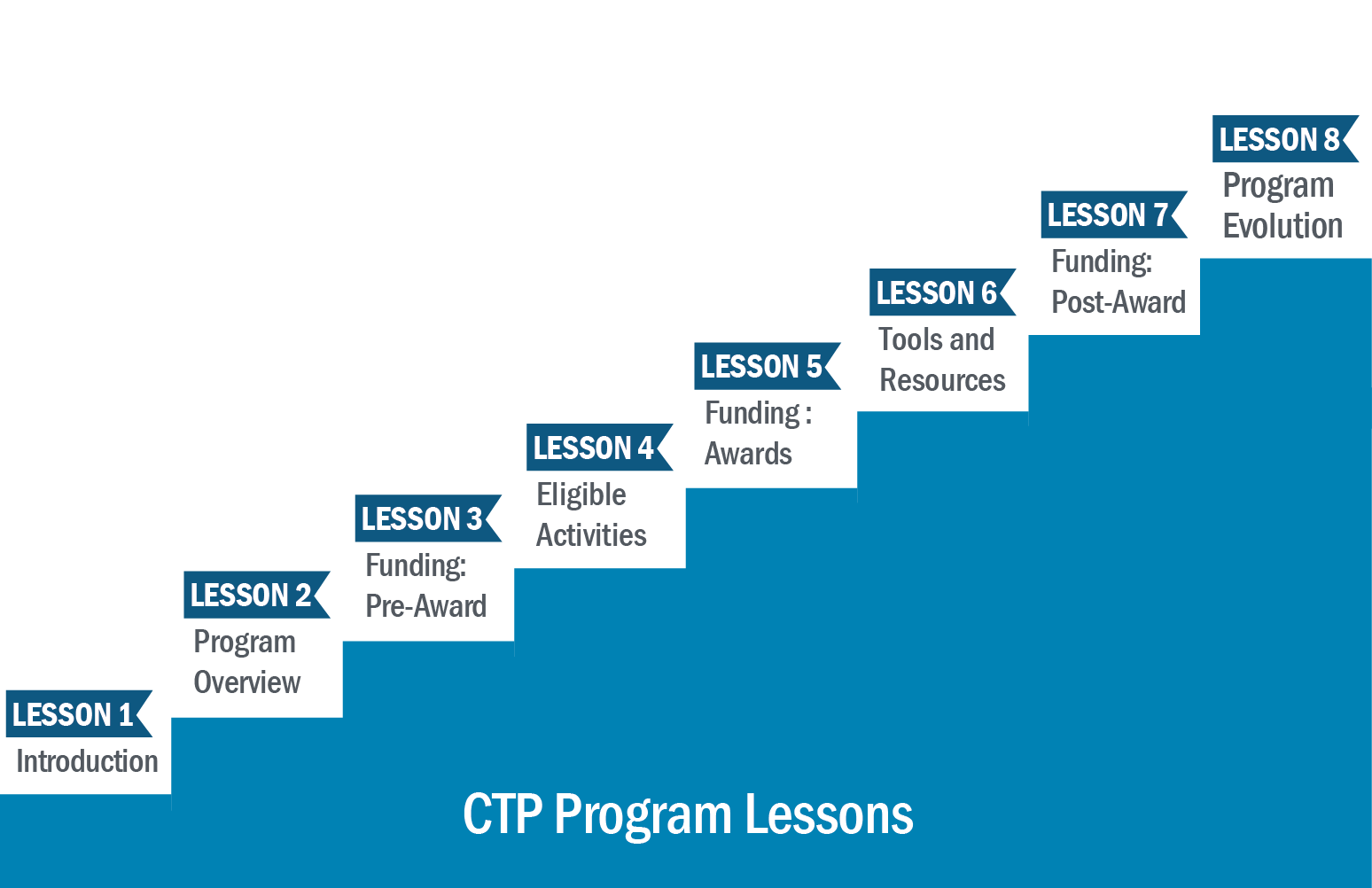
CTP Program Lessons: Lesson 1-Introduction, Lesson 2-Program Overview, Leson 3-Funding Pre-Award, Lesson 4-Eligible Activities, Lesson 5-Funding: Awards, Lesson 6-Tools and Resources, Lesson 7-Funding: Post-Award, Lesson 8-Lesson Evolution