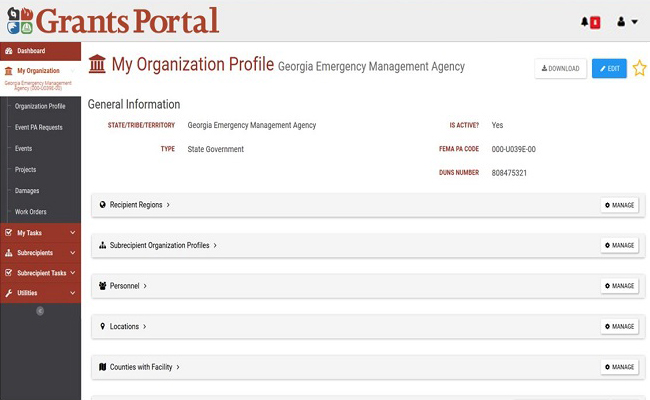
Once Grants Portal loads the "Organization Profile," the Recipient then manages their subrecipient organizations' profiles to add an Applicant.
Directions to invite an Applicant to the Grants Portal:
- Select the "Manage" button to the right of the subrecipient organization profiles drop-down list