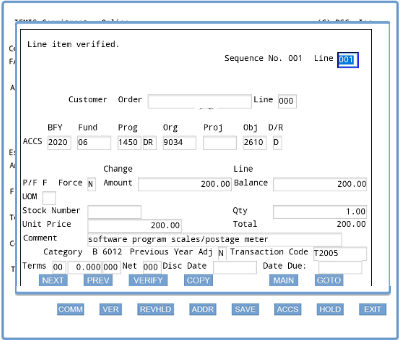
You will tab to and complete the Qty and Unit Price fields and enter comment data, if needed. Then, you will click the VERIFY button at the bottom of the ACCS screen and correct any identified error(s).
Next, you will click the MAIN button at the bottom of the ACCS screen to return to the main Commitment screen.
What is the next button you must click on the main Commitment screen to begin the process of completing the vendor commitment transaction?